Case Study
Faketastic
2025
User research | Co-design | Graphic Design | Interaction design | Education design
For my graduation project for my Bachelor’s degree in Communication & Multimedia Design, I collaborated with after-school childcare organization Humankind to explore how media literacy can be taught in a playful and age-appropriate way.
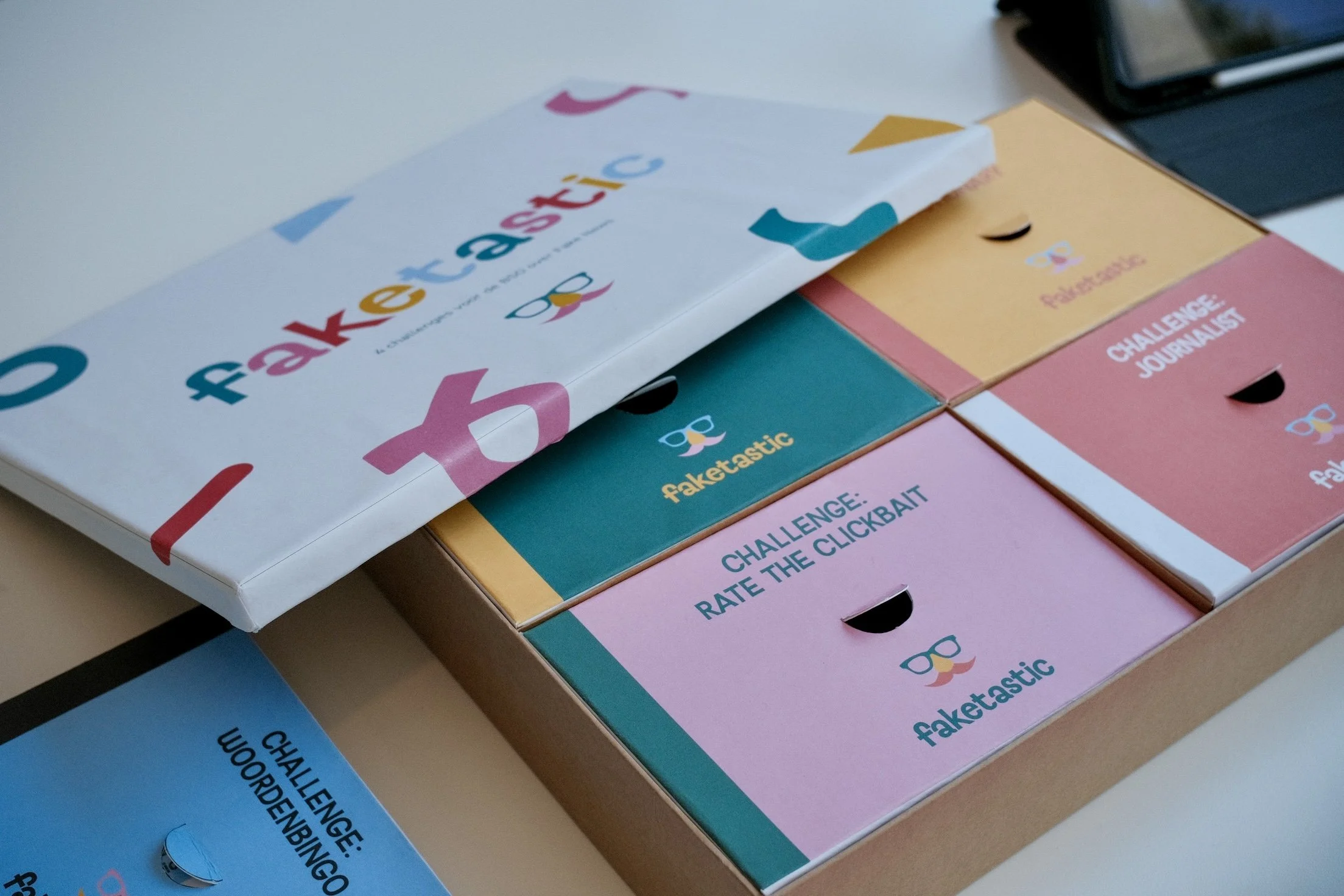
Faketastic is a modular, interactive workshop kit about fake news, designed for children aged 8–12 in after-school care (BSO) environments in the Netherlands. The kit consists of four short “challenges,” each introducing a game or playful activity about misinformation. Pedagogical staff can easily swap out challenges to keep the kit new and relevant.
To support flexibility, the kit includes a complementary digital layer, allowing objects or activities that don’t fit in the physical box to be shown on a shared children’s tablet.
My Role
UX Research, Concept Development, Interaction Design, UI & Visual Design
Duration
February – June 2024 (19 weeks)
Project Type
Graduation project/client collaboration
Tools Used
Photoshop, Illustrator, InDesign, Figma
1. Problem
Children aged 8–12 are increasingly exposed to digital content, but most do not yet understand what fake news is or how to recognize misleading visuals online. Traditional media literacy education often feels too abstract, too textual, or not age-appropriate, which means children disengage quickly and won’t learn about the most important aspects of media.
2. Goal
Design a playful, modular learning tool that:
introduces digital misinformation in a simple, tangible way
is fun and hands-on, rather than lecture-based
fits into the workflow of pedagogical staff
can be updated over time
sparks curiosity and encourages critical thinking
3. Target Group
Primary users: Children (8–12 years old)
This age group is highly curious and playful, but is still developing the ability of critical thinking about digital content. They encounter images and videos on the internet daily, but lack the skills to recognize misleading or manipulated information.
Children aged 8–12 learn best through:
hands-on activities
short, engaging tasks
humor and imagination
visuals instead of long explanations
play together with peers
Secondary users: Pedagogical staff (BSO)
Pedagogical staff guide the children through the activities and choose which challenges fit their group. Their needs differ from those of the children.
What they need:
clear, straightforward instructions
activities that take little prep time
tools that fit within the BSO schedule
content that is age-appropriate and easy to supervise
modular tool so they can swap challenges depending on energy levels, group size, or theme
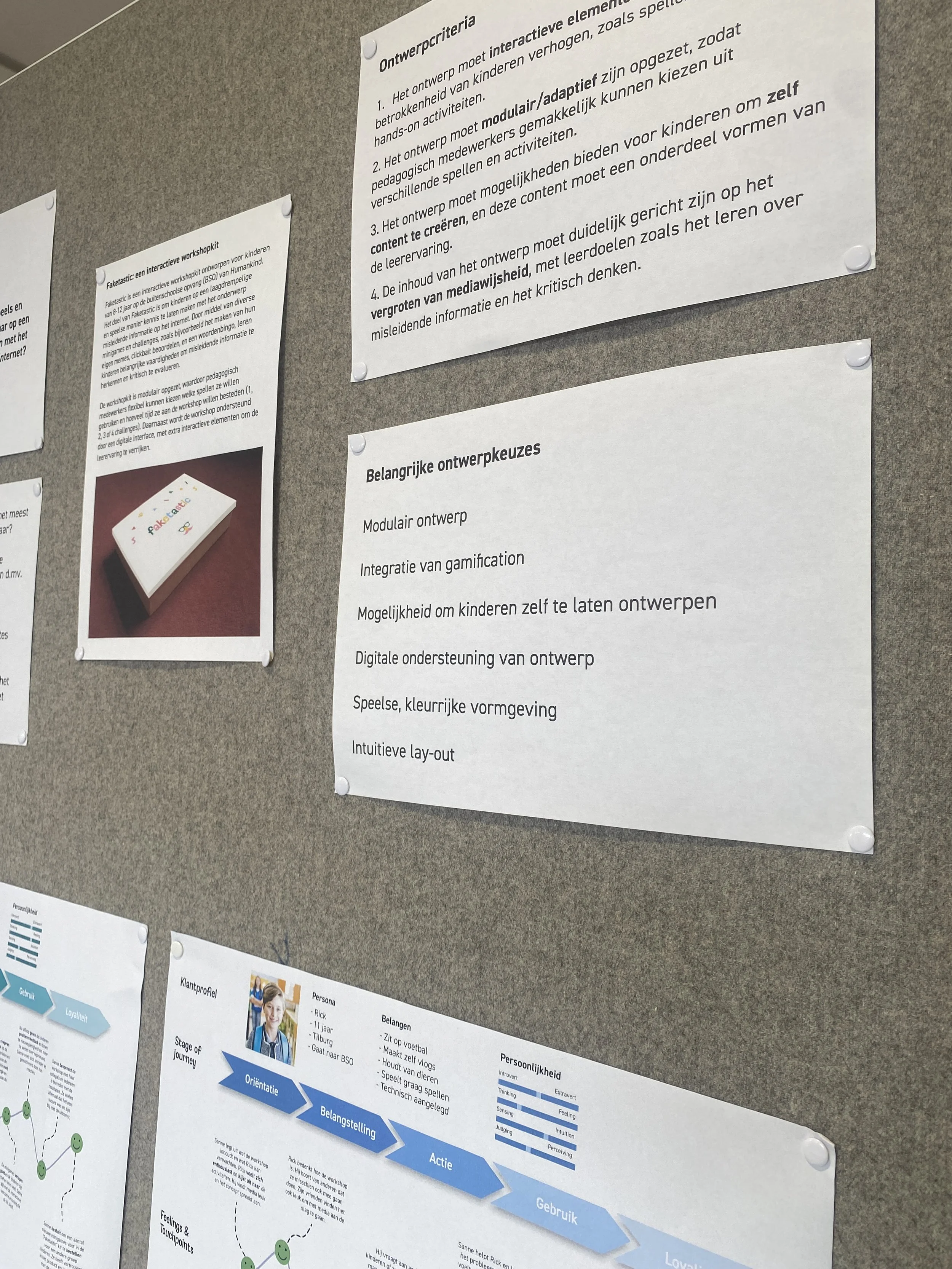
4. Design Criteria
These design criteria were carefully developed in collaboration with Humankind to ensure the learning tool fits the needs of both children and pedagogical staff.
Interactive elements
Must include hands-on activities that keep children actively engaged.
Modular & adaptable
The tool must be easily adaptable to different themes and groups.
Creative participation
Children should be able to create their own content. This becomes part of the learning experience.
Media literacy-focused
All challenges must align with the media literacy principles.
5. Concept Development
To translate the research insights into a concrete solution, I explored how children learn, how BSO staff facilitate activities, and how a complex topic like misleading information on the internet could become playful and approachable. This phase focused on turning abstract media literacy concepts into simple, hands-on activities and experimenting with various themes and games.
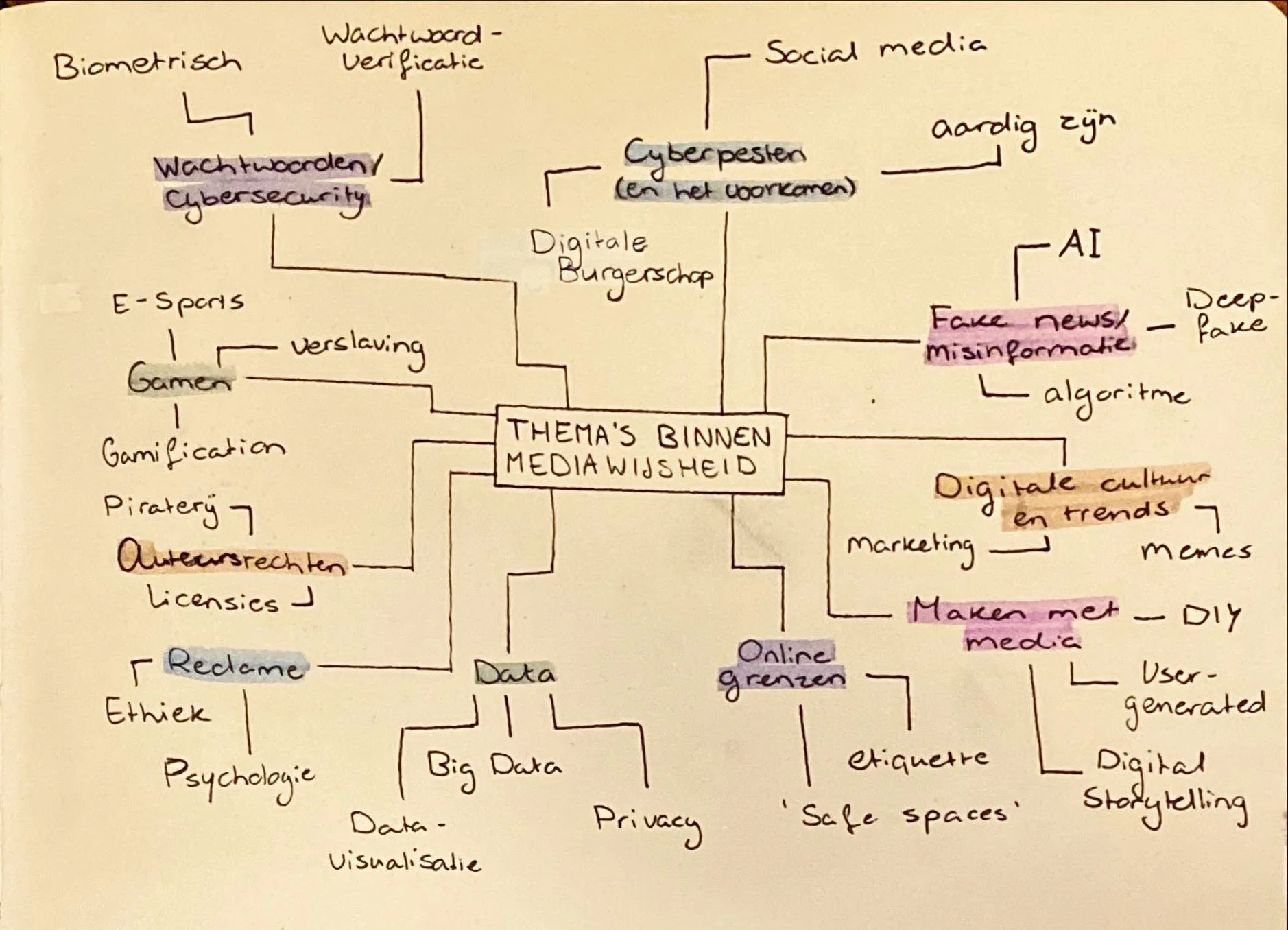
It became clear that, because of the large number of different themes within misleading information, I wanted to create “challenges” for each theme, for example, judging fake or real news, creating your own meme, listening to stories, and drawing fake news prompts. These different challenges can be bundled within one kit for pedagogical staff to use with children. This will be a form of workshop during the after-school hours.
6. Prototyping
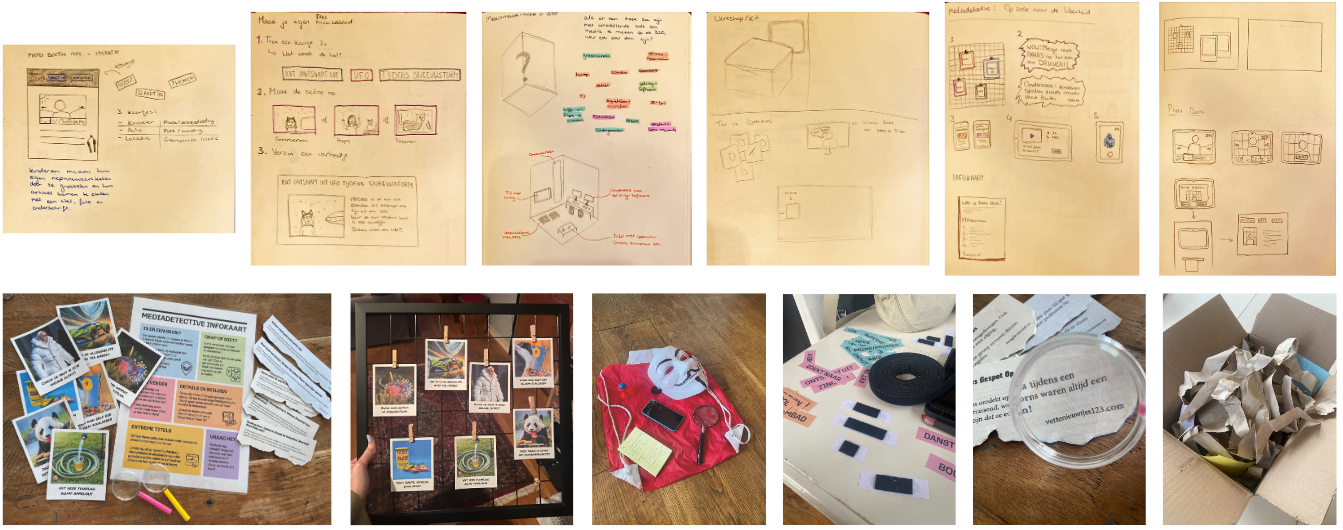
After defining the concept and the modular structure of the kit, I moved into prototyping both the physical kit and the digital layer. The goal was to explore how children would interact with the challenges, how staff would facilitate them, and how the physical and digital elements would support each other.
Below is a selection of the first version “challenges” for the workshop kit. I presented these challenges (among others) to the target group and asked which were the most exciting and interesting. Based on this, I picked four challenges to create in high fidelity.
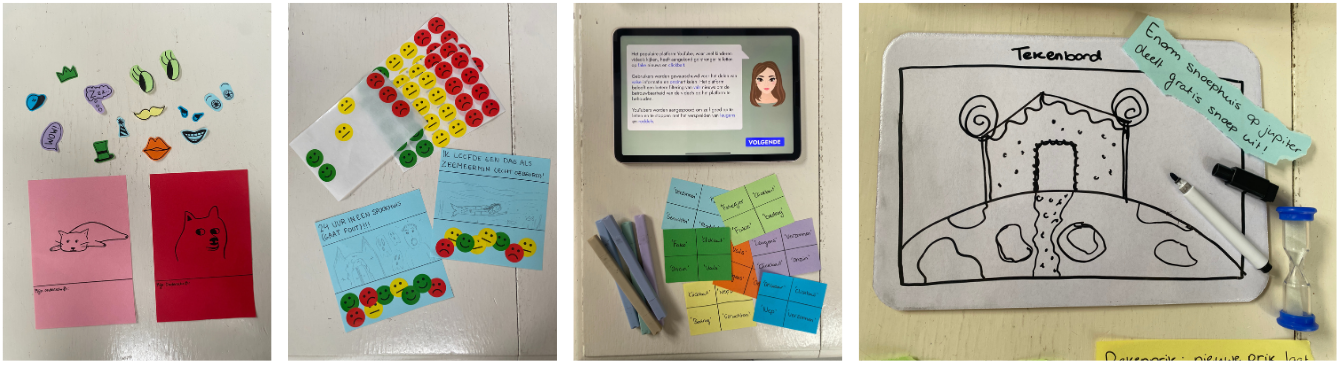
The high-fidelity prototype of the workshop kit consisted of the following five challenges:
Make Your Own Meme
Journalist (with digital layer)
Fictionary
Word Bingo (with digital layer)
Rate the Clickbait
This version of the prototype was tested with 19 children in two different BSO environments. I worked together with the Humankind staff to lead the workshop. After completing the challenges, the children filled in a feedback form to improve the kit even more.
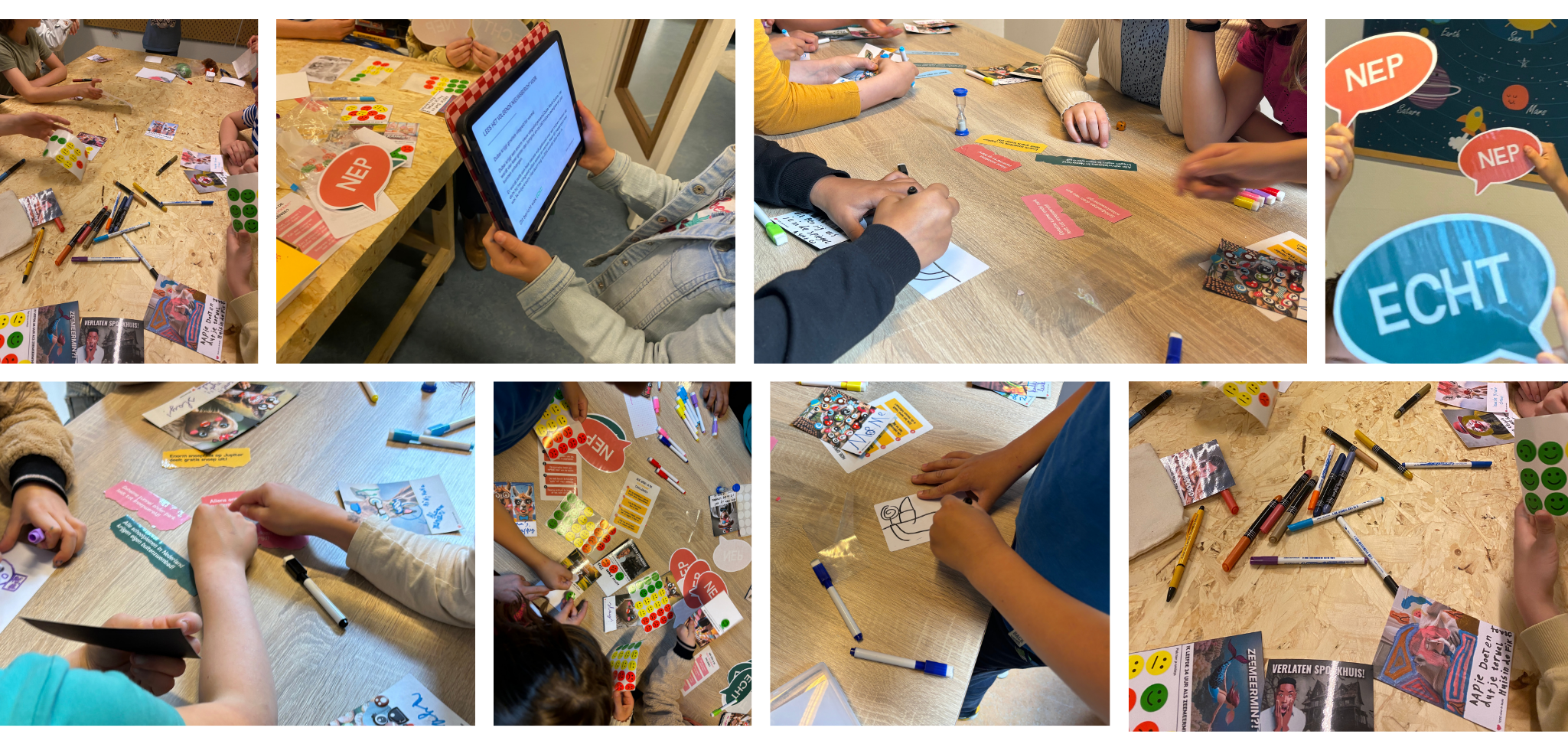
After testing, the following iterations were made for the final version.
1. Clearer Instructions
Kids often jumped directly into play without reading.
Iteration:
Simplified instructions to 1–2 short steps
Added visual icons instead of text-heavy explanations
Introduced a “show me” example on the tablet
2. Stronger Visual Hierarchy
Some challenges were not clear enough visually.
Iteration:
Clearer icons
Higher contrast and larger text on tablet
Bigger tap targets in the digital layer
3. Faster Setup for Staff
Staff needed activities they could start in under a minute, without assistance from me.
Iteration:
Reduced the number of materials per challenge
Added a small instructions card with steps
Streamlined the box layout so every component is easy to grab
4. Better Balance Between Physical & Digital
Some tasks worked better on the tablet, others physically.
Iteration:
Moved complex or updateable elements to the digital layer
Kept all tactile, social tasks in the physical kit
Ensured both layers feel connected but not dependent on each other
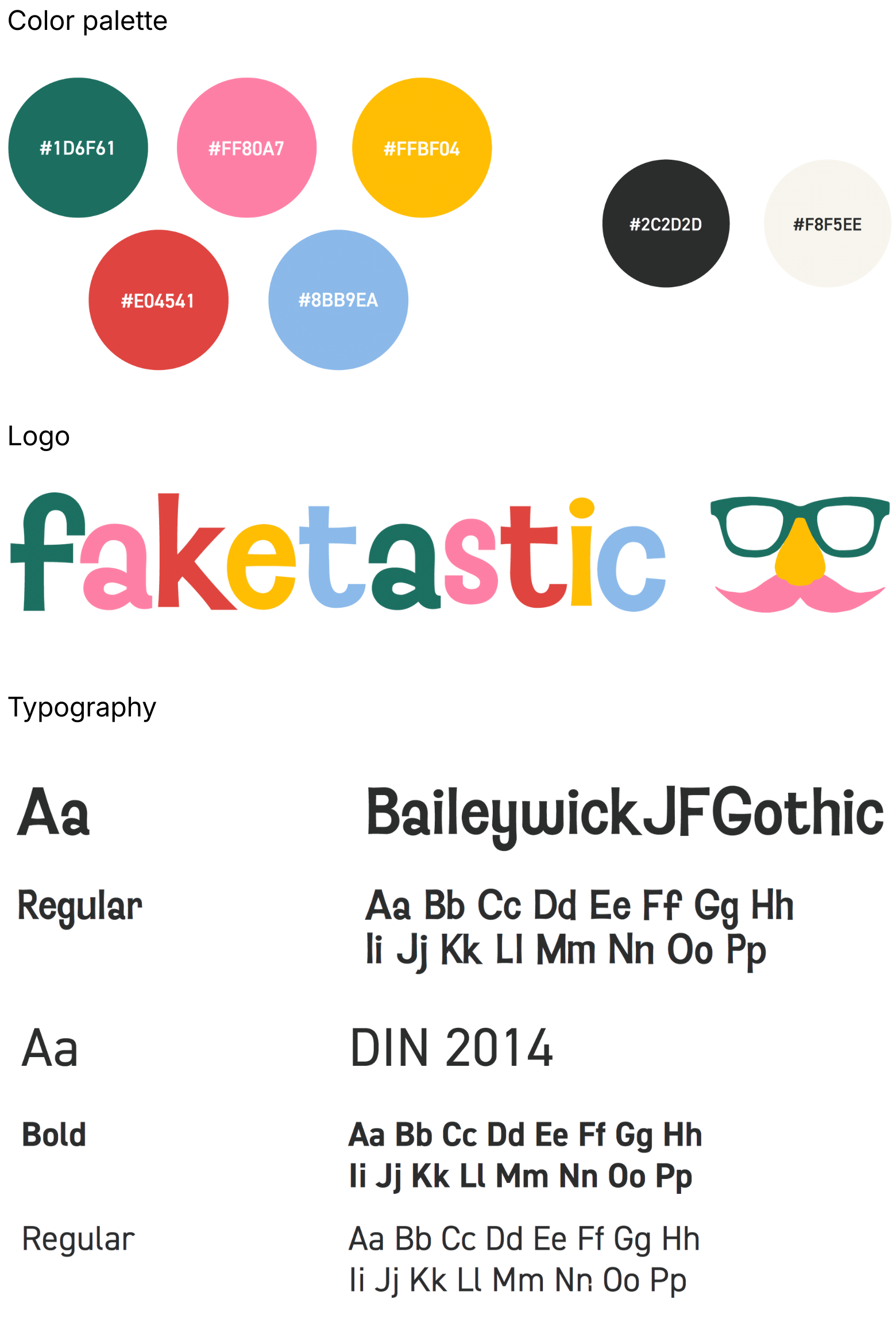
7. Visual Identity
The visual identity was created specifically for the 8–12 age group:
bold, saturated colors
round, friendly shapes
expressive icons
playful illustrations
humor where appropriate
View the full brand guide with explanation of the visual design choices here (Dutch only).
8. Final Version
The final design is Faketastic, a modular workshop kit supported by a simple digital layer, created to help children aged 8–12 understand themes within misinformation. The system is designed to fit seamlessly into the workflow of BSO staff while giving children the freedom to explore and learn.
Physical layer
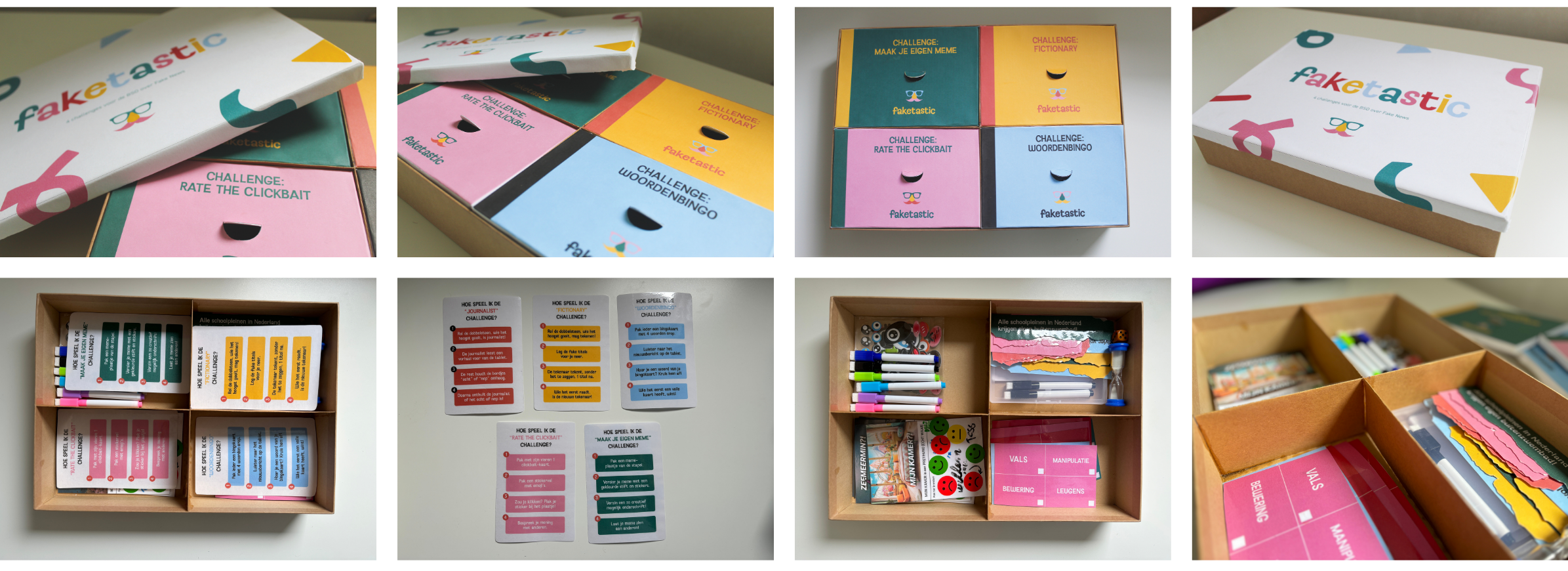
The physical kit is the core of the experience. It contains four interchangeable challenges, each focusing on one aspect of misinformation:
Make Your Own Meme
Choose a picture and “edit” it with markers and stickers, and make up a caption for the image.
Journalist
One participant reads a story aloud, and the rest of the participants guess whether the story is real or fake by holding up signs.
Fictionary
One participant draws a headline from the pile in 30 seconds, and the other participants guess which headline was drawn.
Word Bingo
Participants listen to a story about fake news from the tablet, and all participants check off their bingo cards with words they hear.
Rate the Clickbait
Participants receive a photo with a caption and “rate” the image by sticking stickers on it and giving commentary.
Digital layer
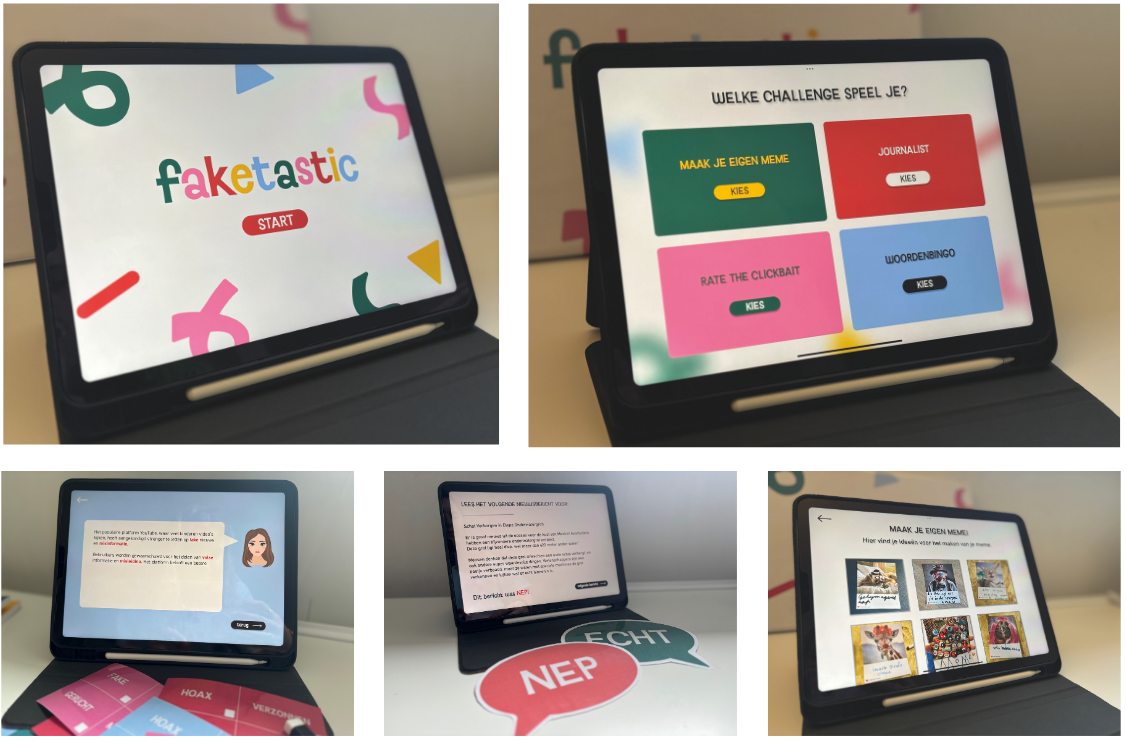
Alongside the physical kit, the digital layer acts as a flexible extension that can display:
the digital parts of the challenges, such as the read-aloud stories
dynamic objects
updated content
example “fake” and “real” creations
short instructions for staff
9. Conclusion
Faketastic shows how a complex topic like fake news can be transformed into something playful and tangible. Working closely with Humankind allowed me to design a solution that fits the needs of both children and pedagogical staff: flexible, easy to use, and engaging. The final concept shows how thoughtful interaction design can make media literacy, a topic that is not yet covered enough in and outside of school, both accessible and fun. It was important to focus on activities children actually liked to participate in after a day of learning at school.
Faketastic is a project I’m very proud of. Not only because of the final design, but because of the process that shaped it: working together with the target group on something that is fun and that they can actually learn from. It taught me how to design for young users, how to turn snippets of ideas into activities, and how physical and digital elements can strengthen each other in a single experience.
Looking back
During this graduation project, I:
developed a modular kit with five interchangeable challenges
created prototypes for children aged 8–12
designed all visuals and game mechanics
tested the kit with children and pedagogical staff at the BSO
iterated the challenges based on real behavioral insights
This project taught me how much clarity and pacing matter when designing for kids, and how small adjustments can transform the entire experience.
Looking forward
Next, I would love to:
test the kit across more locations to measure long-term impact
create additional challenges with new themes
expand the digital layer with more interactive elements and seasonal updates
refine the modular system so staff can personalize activities even more easily
There’s still a lot of potential for Faketastic to grow, and I’d be excited to continue developing it.